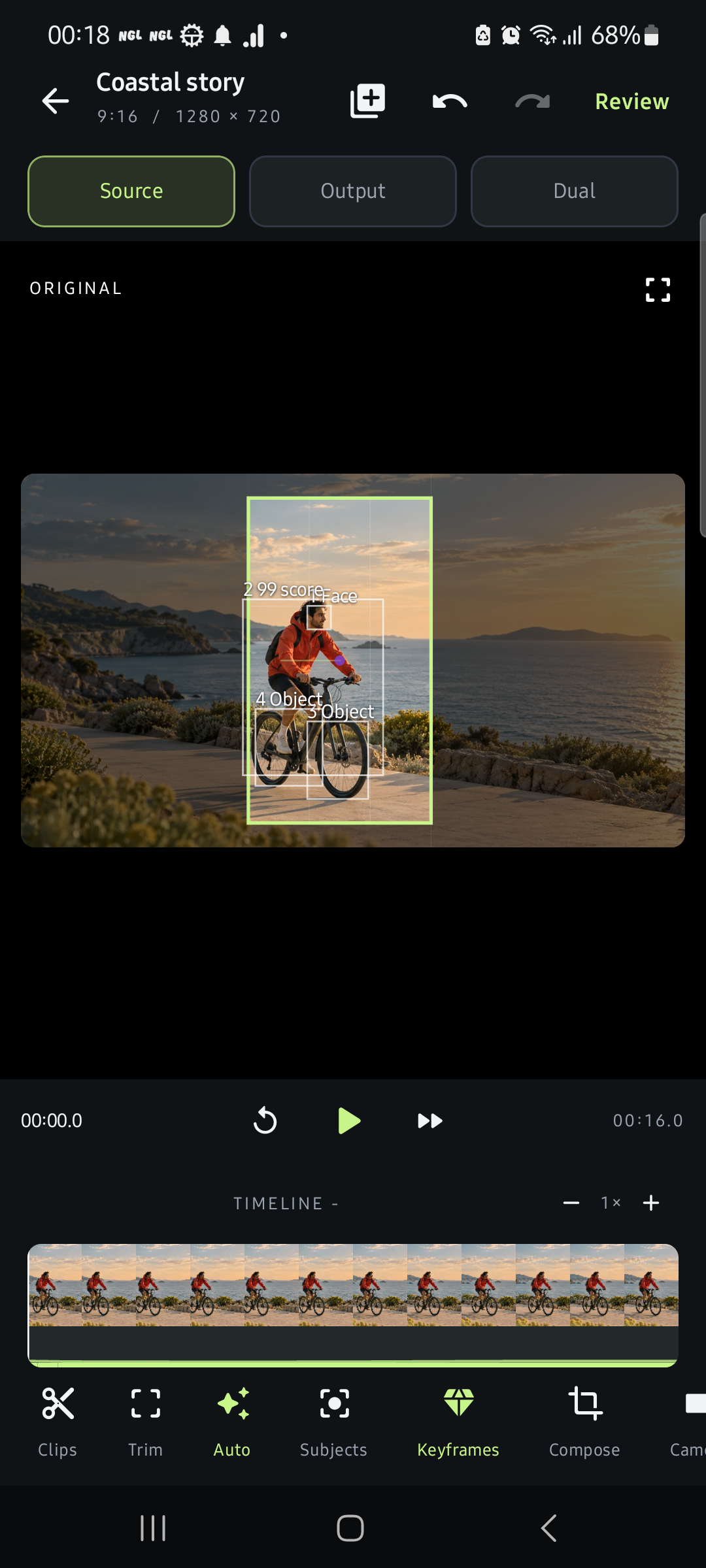
01 / DIRECT
Every movement, yours.
Adjust crops, keyframes, smoothing and composition. Undo and redo as you explore.
 reframio
A NEW POINT OF VIEW · ANDROID
Your best moments deserve a closer look. Turn wide footage into compelling vertical cuts, with a little AI and a lot of you.
Smart Clips / Auto Reframe / AI Captions

Keep the feeling.
Change the frame.
Illustrative sample artwork · explore real app screens below
LESS FRICTION. MORE CREATION.
From a long take to a tight cut. From a wide shot to a personal moment. Shape what’s already there.
A BETTER FIT FOR THE MOMENT
Auto Reframe follows detected subjects through your footage. Choose a subject, review the path and make the final framing your own.
Tracking can lose a subject during fast movement or occlusion. Manual corrections keep you in control.
TRY A NEW POINT OF VIEW
Move the frame. See how a portrait crop brings the scene closer.
Interactive framing illustration using original sample artwork. It demonstrates cropping, not live subject analysis.
THIS IS YOUR STUDIO
Real screens from the Android app. Refine your camera path, build a split layout and review the result before sharing.
Adjust crops, keyframes, smoothing and composition. Undo and redo as you explore.
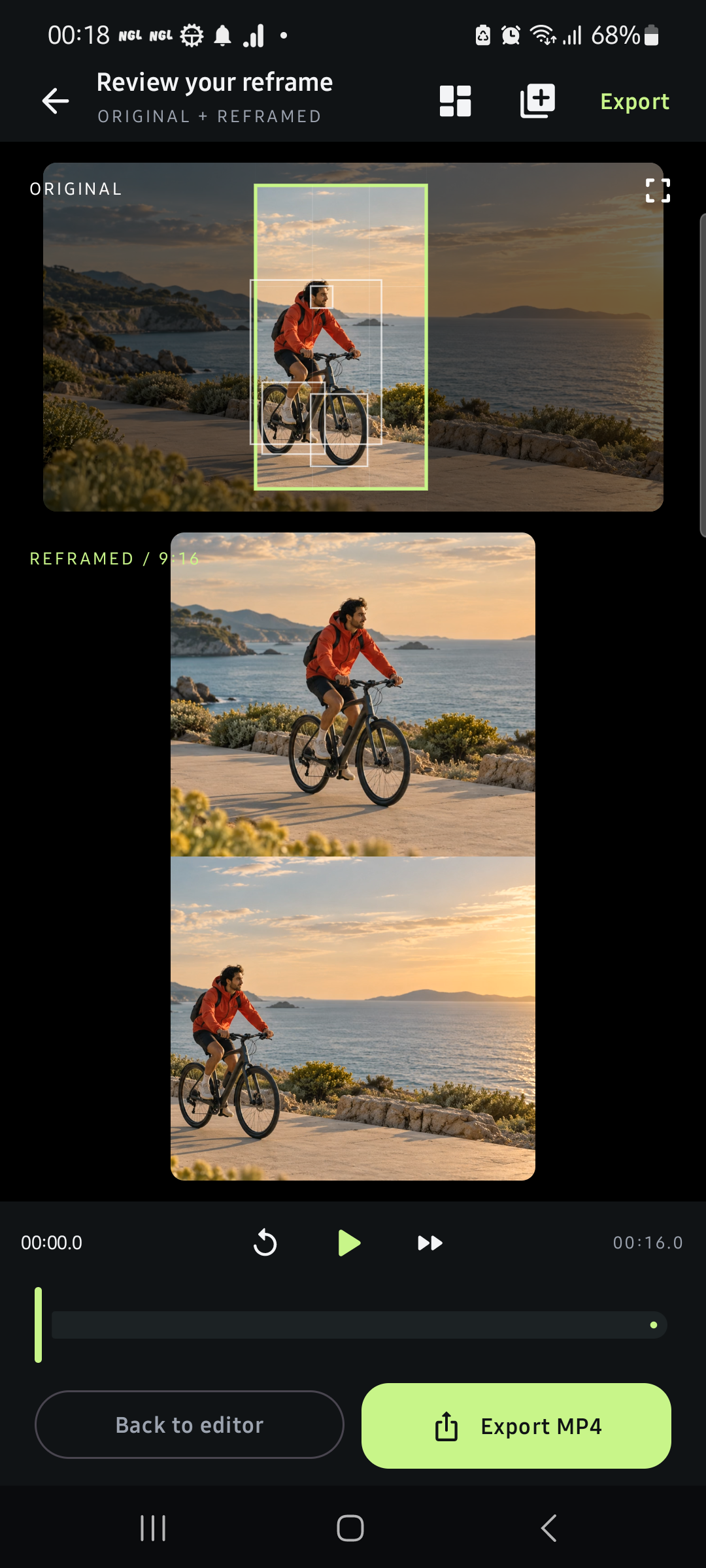
Reframe two regions from one source into split-screen layouts, then preview the actual composition.
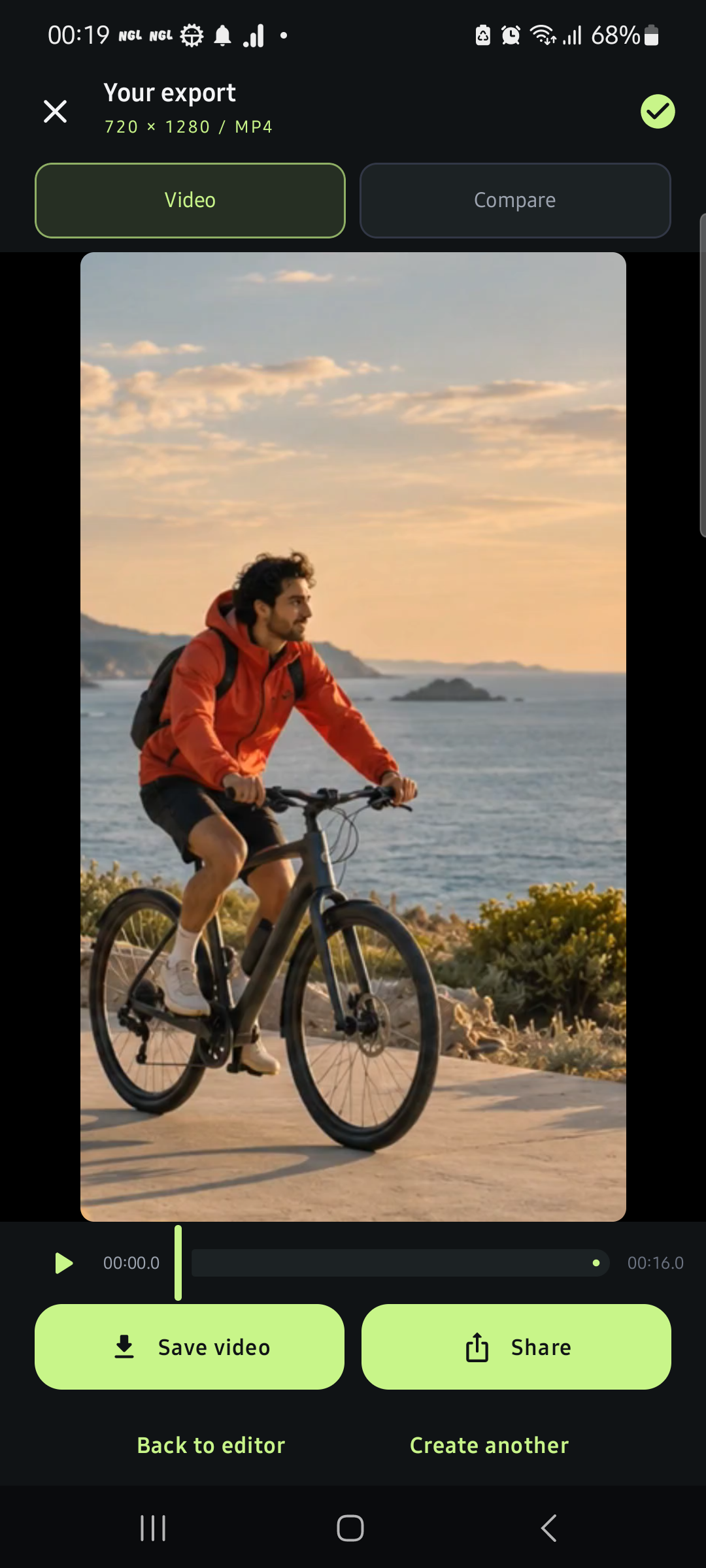
Export H.264 MP4 with original audio. Save to your gallery or share through Android.
App captures use original sample media. Export options depend on your device’s encoder. No direct social publishing is implied.
A SIMPLE CREATIVE RHYTHM
No account to create. Pick your video with Android’s system file picker and start shaping it.
Import a video you have permission to use. Your source stays yours.
Review Smart Clips suggestions from measured motion, audio and visual changes. Adjust the selection.
Refine the frame, edit captions and review the final cut. Export when it feels right.
YOUR CREATIVE SPACE
Your footage isn’t uploaded to a cloud editor. Optional English transcription downloads a model, then runs locally. Some integrated SDKs send operational data; our privacy policy explains the details.
GOOD TO KNOW
Turn landscape video into portrait, square or 4:5 cuts for formats such as YouTube Shorts, Instagram Reels and TikTok videos. Find clip suggestions, choose your framing, add captions and export a video for sharing. Reframio is independent of those platforms.
Smart Clips ranks segments using measured visual changes, motion, audio and available transcript information. Suggestions are a starting point for your review. They do not predict virality or understand every event in your footage.
Automatic transcription currently supports English using an optional download of around 40 MB. You can edit recognized text and timing, import subtitle files, and change caption styles. Accuracy varies with speech, accents and background noise.
Yes. Select detected subjects, adjust framing, set manual keyframes and refine the camera path. Tracking may need corrections after rapid motion, scene changes or occlusion.
No account is required. All current editing tools are available in the reviewed build. If subscriptions are offered at launch, the app will show localized pricing, billing periods and eligible offers before a purchase through Google Play.
The Android launch is in preparation. A verified Google Play link will appear here when the listing is available. For updates or support, email corvas.official@gmail.com.
YOUR NEXT GREAT CUT STARTS HERE
Make more of what you already make.
Reframio for Android is getting ready.